


PEMP Store
PEMP (7102) W204 Android 13 Snapdragon 8core 8+128GB 12.3" HD Touch Display Screen , Support Carplay, Android Auto, Mirror Link, for Mercedes Benz 2008-2011 C Class NTG 4.0 Car Screen
- Normaler Preis
- $569.00
- Verkaufspreis
- $569.00
- Normaler Preis
-
Der Versand wird an der Kasse berechnet.

$19.90

$39.00

$0.00
$23.90

Return to your nearest address. (USA and Europe)


You can get carplay android auto and miror link function
Read More


Replace the OEM screen with a large 12.3-inch riser style.
Read More


Intelligent Interconnection
Support wired and wireless
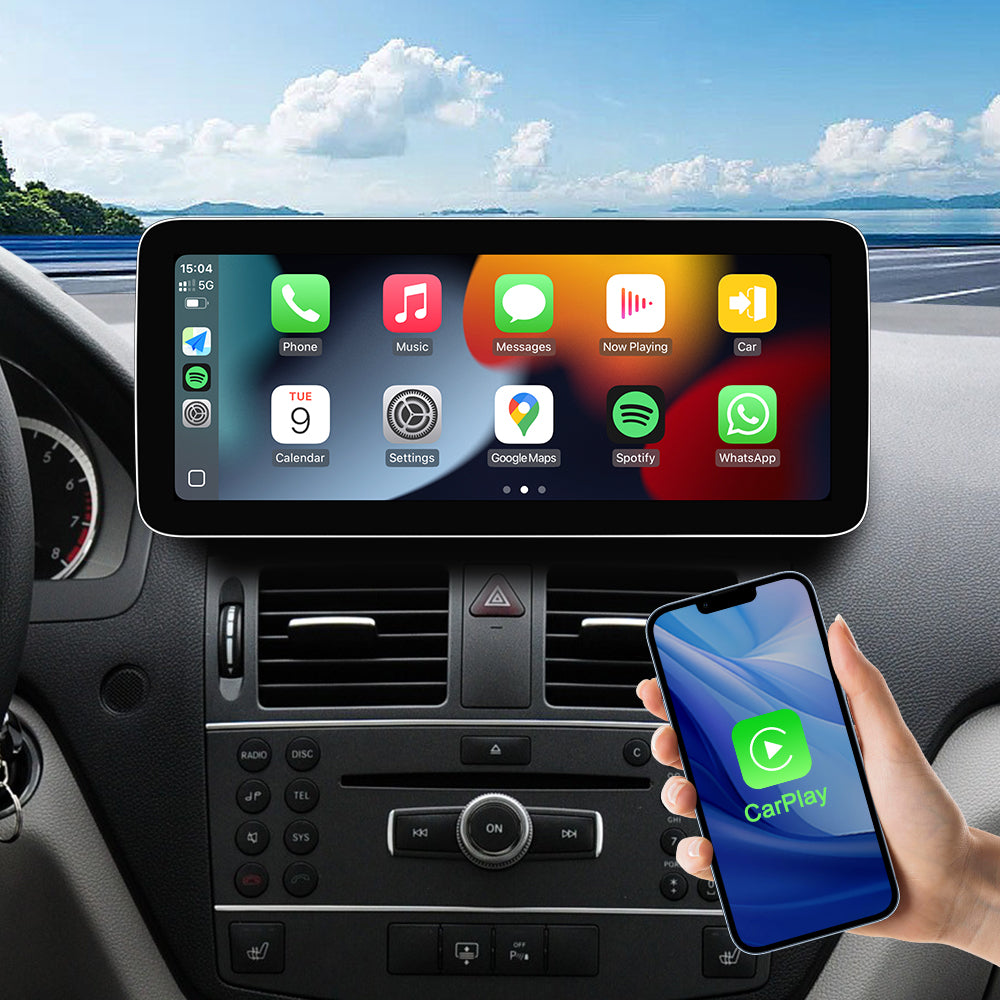
Support Wired/Wireless Apple CarPlay
Built-in wired/wireless carPlay function. You can use your phone app on PEMP screen, support touch control.
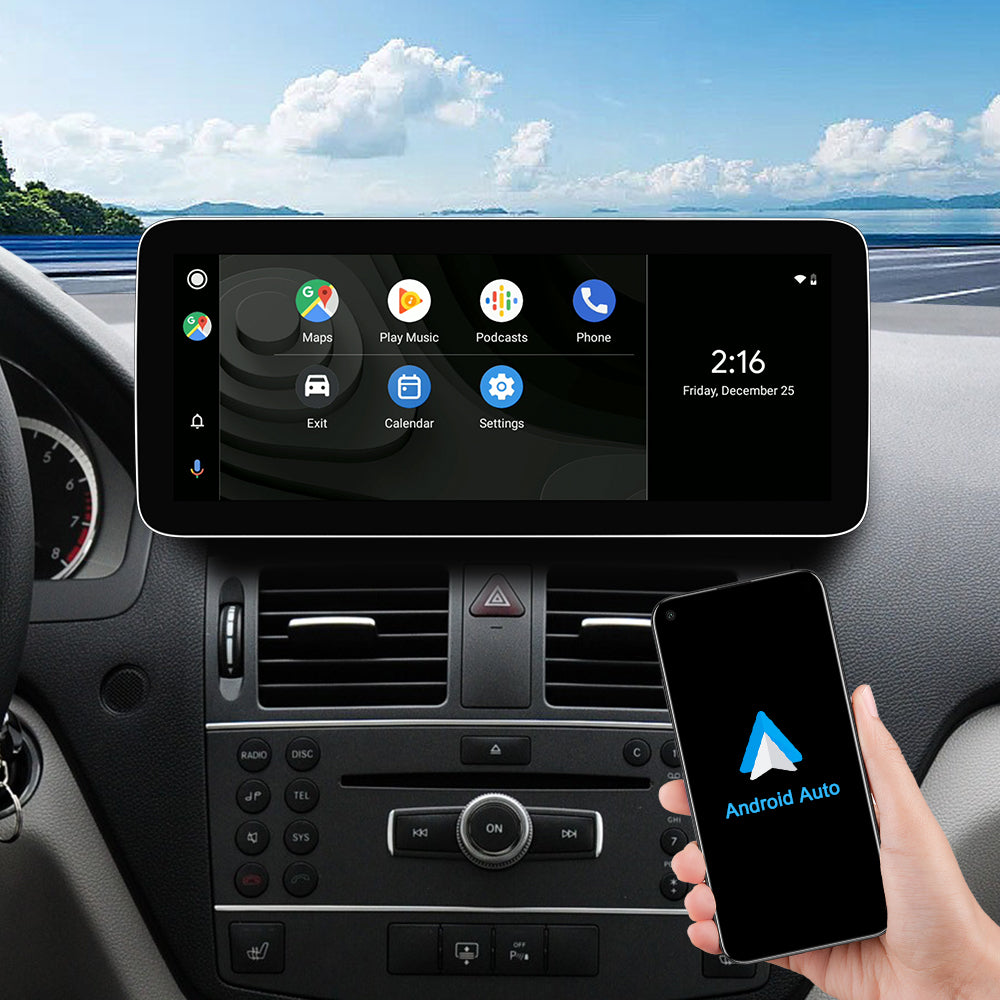
Built-in Wired/Wireless Android Auto Function.
You can use your phone app on PEMP screen, support touch control.
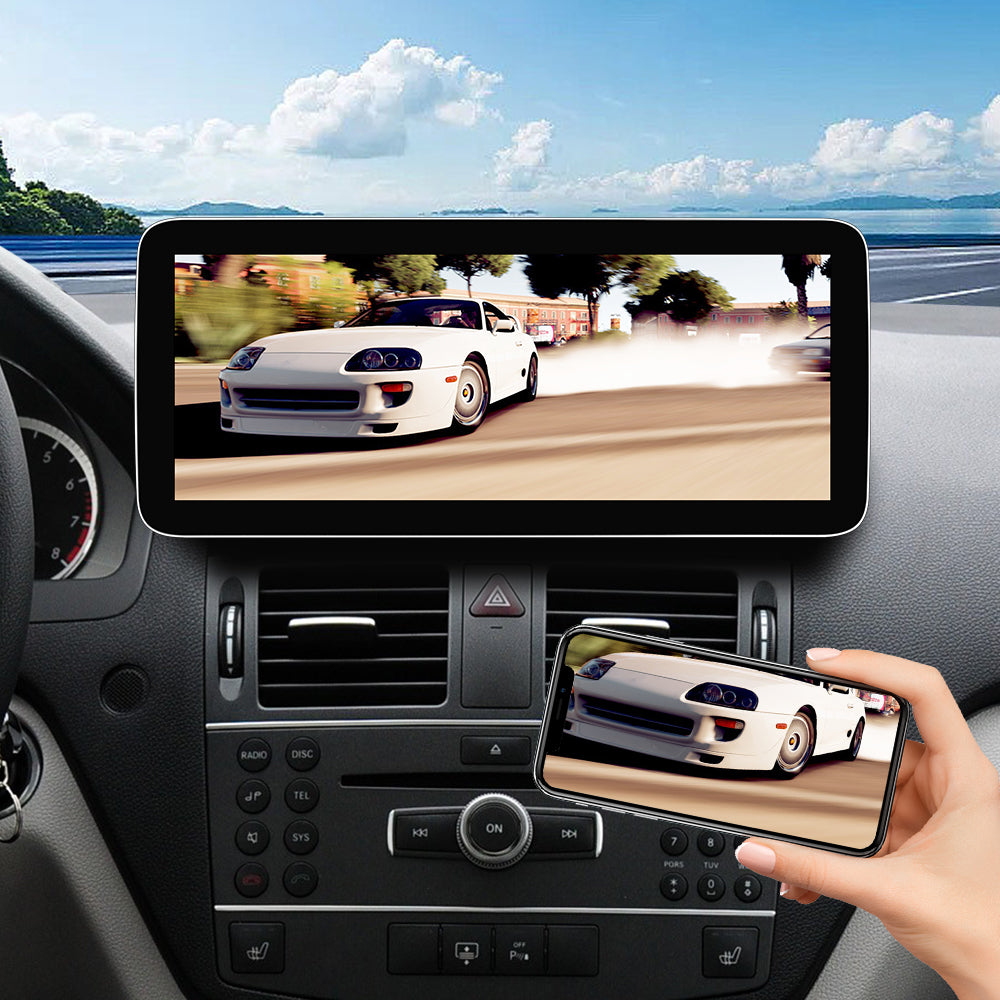
Built-in Wired/Wireless Mirroring Link Function.
You can mirror all the pictures of your mobile phone to PEMP screen.
LVDS cables and CAN protocol cables
How can I check if the CAN protocol cable interface of my car is connected correctly?
There will be different power cables due to different cable production batches and sometimes the white port connections between protocols are not accurate. Please make different connections depending on the white port type.
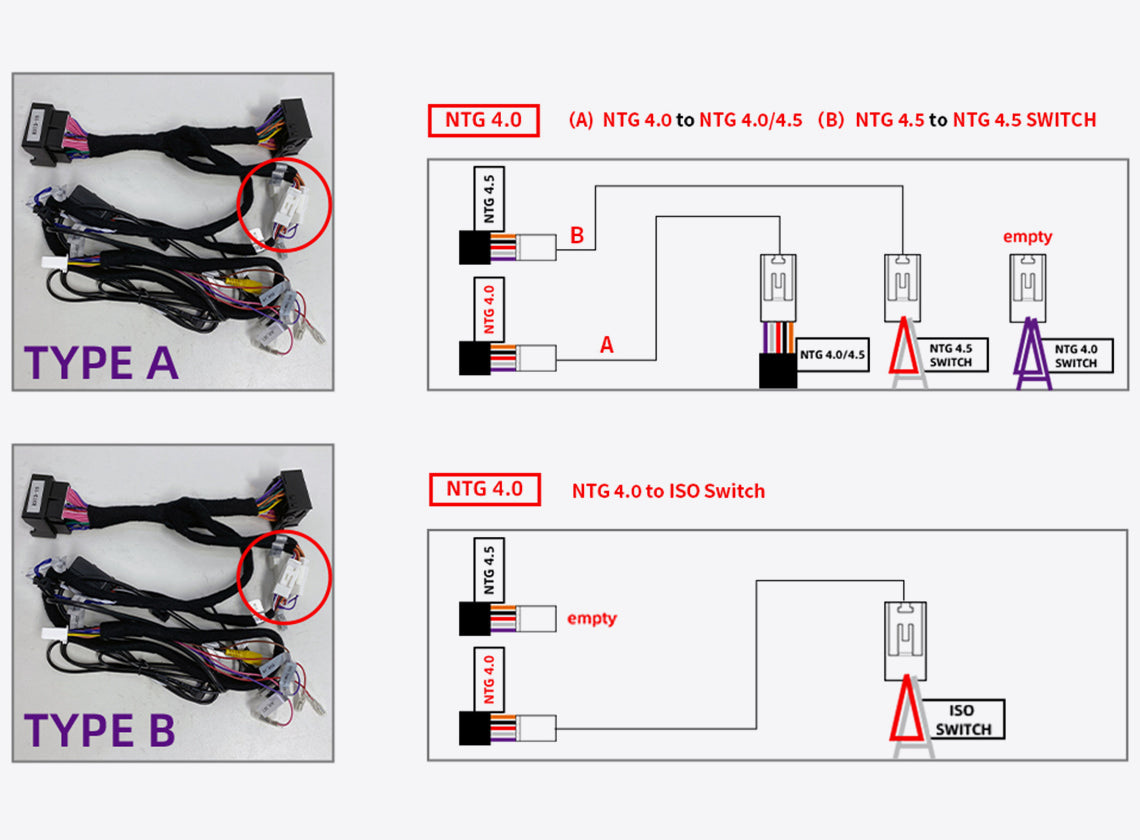
This is a very important step in getting Information about the OEM interface.
If your car is an NTG 4.0 system, you need to connect our equipped LVDS box with the original LVDS cable. This allows access to the OEM interface. How to connect the LVDS box? 1. Use the “VCC+12V” on the LVDS box to connect the “DVR_POWER” on the ISO cable. 2. Use the “LVDS OUT” on the LVDS box to connect the “LVDS IN” on the RCA cable. 3. Use the original LVDS cable to connect the holes at the top of the LVDS box.
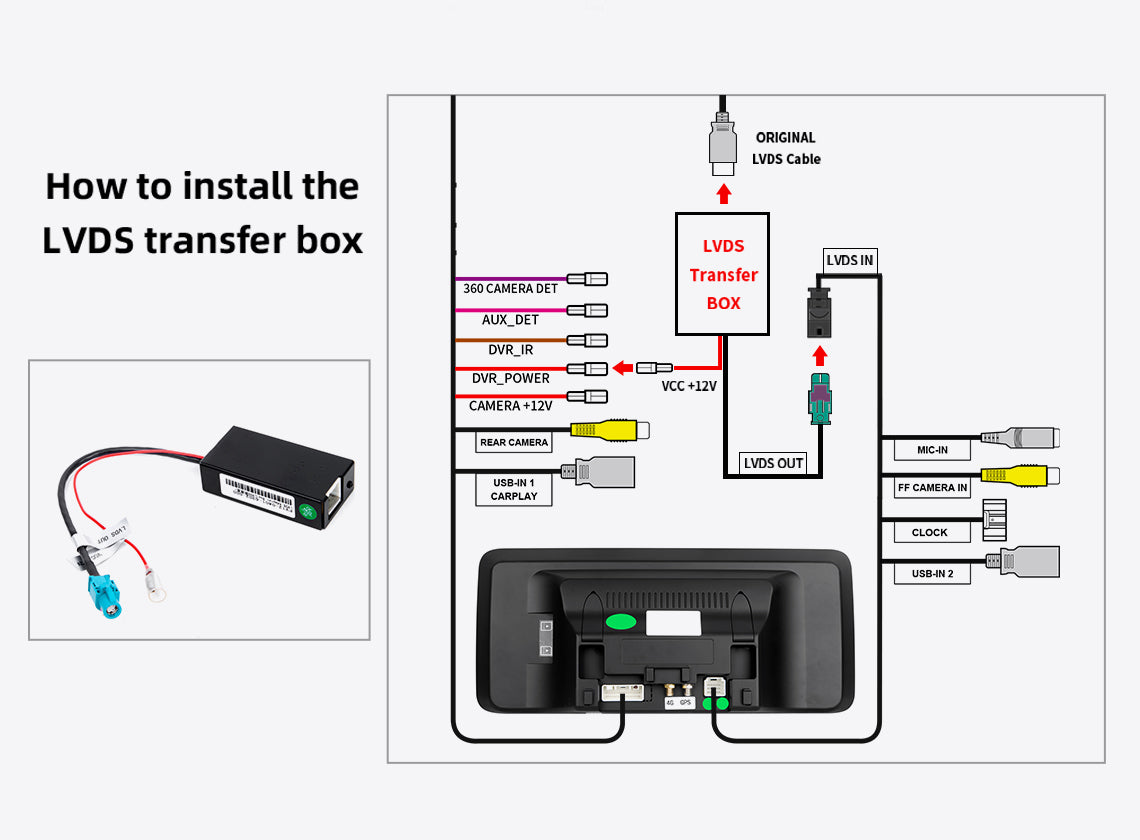
Product Installation and Setup
Approaches to common problems

If the original host has a fiber optic cable, how do I transfer it correctly
Step 1: Unplug the 2P fiber optic cable from the original CD player, and remember the hole where the cable is located. Step 2: Insert the 2P fiber optic cable you just unplugged into the appropriate hole on the YEEHUNG ISO harness. Step 3: After the fiber optic cable is inserted, plug the ISO harness into the stock CD player. Step 4: Finally, you can just connect the ISO harness on the other end to the stock CD cable.

car protocol
Please select the NTG4.0 car protocol inside the factory settings and set it correctly to use the OEM buttons, knobs, reverse, etc. properly.

car display
From the factory, since the OEM screen size is different for each car, you need to do it yourself to re-select the resolution, usually the options are item 12/14/16/30, and the resolution is selected correctly before you can use the OEM function.

manual AUX
NTG4.0 cars do not support automatic AUX switching, so you will need to do it manually every time you use the sound, please select manual in the factory settings.
You May Also Like
IN THE BOX
1× Android Screen

1 × ISO Wiring Harness

1 × RCA Cable

1 × GPS Antenna

1 × 4G Antenna

1 × Microphone

1 × AMI Decoder

1 X Base

1 × Installation Manual

1 × User manual

Frequently Asked Questions
Pre-Sales FAQ
Answer your pre-sales questions
After-Sales FAQ
Answer your pre-sales questions