


PEMP Store
PEMP (5273) 10.25" Android13 Screen for BMW E90 E91 E92 E93 Snapdragon 8core 8+128GB Wired and Wireless CarPlay Retrofit Android Auto Display Mirror Link Car Radio Bluetooth Video Player Head Unit (2006-2012)
- Regular price
- $629.00
- Sale price
- $629.00
- Regular price
-
Shipping calculated at checkout.

$19.90

$0.00
$23.90

Return to your nearest address. (USA and Europe)


Intelligent Interconnection
Built-in wired wireless Carplay android auto and mirror link function

Built-in Apple CarPlay
Support the wired and wireless Apple CarPlay

Built-in Android Auto
Support the wired and wireless Android auto

Built-in Mirror Link
Support the wired and wireless Mirror Link Function
Product Features
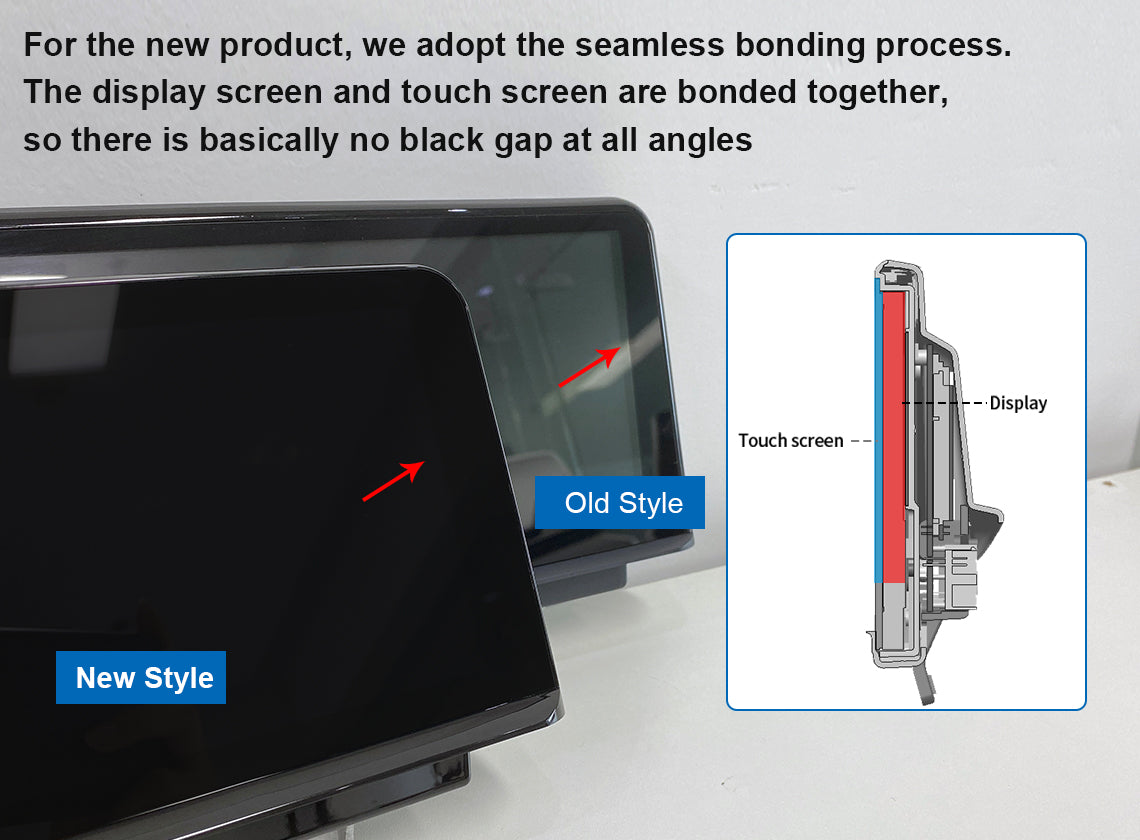
Utilizes Non-Air-Gap Lamination Technology
With the lamination process, the distance between the display and the touchpad is 0. The background is darker when the screen is off and the colors are more realistic when the screen is on!
Product Installation and Setup
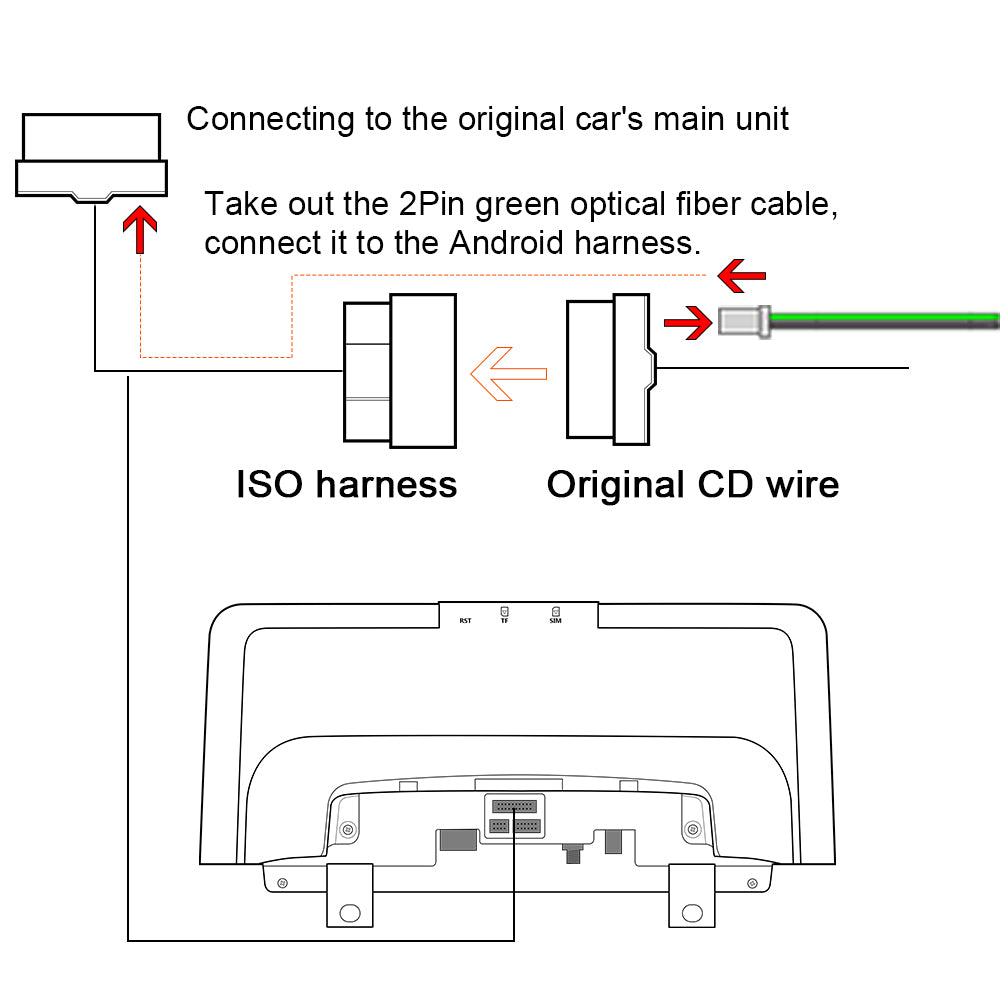
Move the Original Host Fiber Optic Cable to The Android Harness
If your OEM radio has a fiber optic cable above the power harness, Pls move it to the Android harness. Otherwise you can't get the car information and the Android sound. And it will be accompanied by a heartbeat wheezing sound.
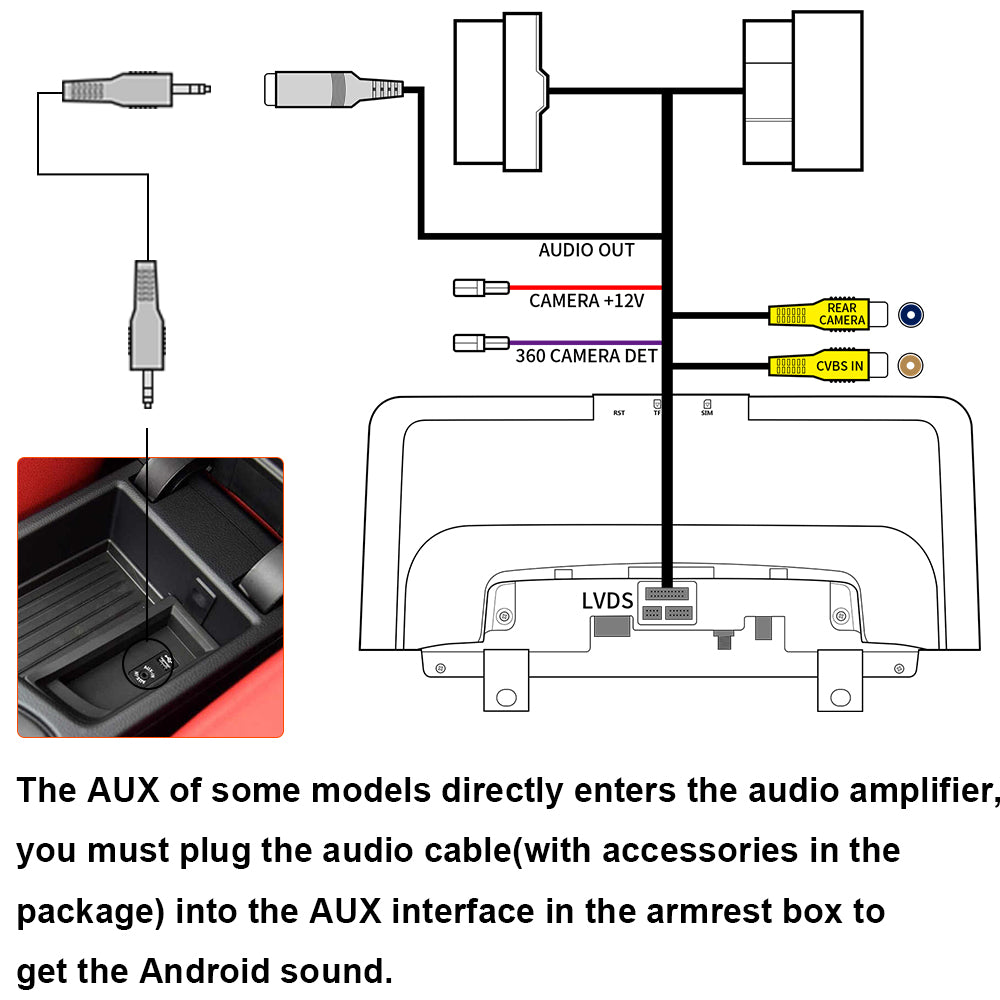
Please connect the audio harness to the armrest box AUX IN connector
If you have properly adapted the fiber optic harness and selected the AUX menu in the OEM interface, you still can't get CarPlay or Android auto sound. Be sure to connect the audio cable between the armrest box AUX IN and AUDIO OUT.
You May Also Like
IN THE BOX
Frequently Asked Questions
Pre-Sales FAQ
Answer your pre-sales questions
After-Sales FAQ
Answer your pre-sales questions