


PEMP Store
PEMP (7112) W204 Android 13 CarPlay 12.3" Touch Screen Snapdragon 8core 8+128GB Android Auto for Mercedes Benz C Class NTG 4.5 Accessories 2012-2015
- Regular price
- $569.00
- Sale price
- $569.00
- Regular price
-
Shipping calculated at checkout.

$19.90

$39.00

$0.00
$23.90

Return to your nearest address. (USA and Europe)


Replace the OEM screen with a large 12.3-inchAndroid riser style.
Read More


Support 4G network and download multiple applications
Read More


Intelligent Interconnection
Support wired and wireless
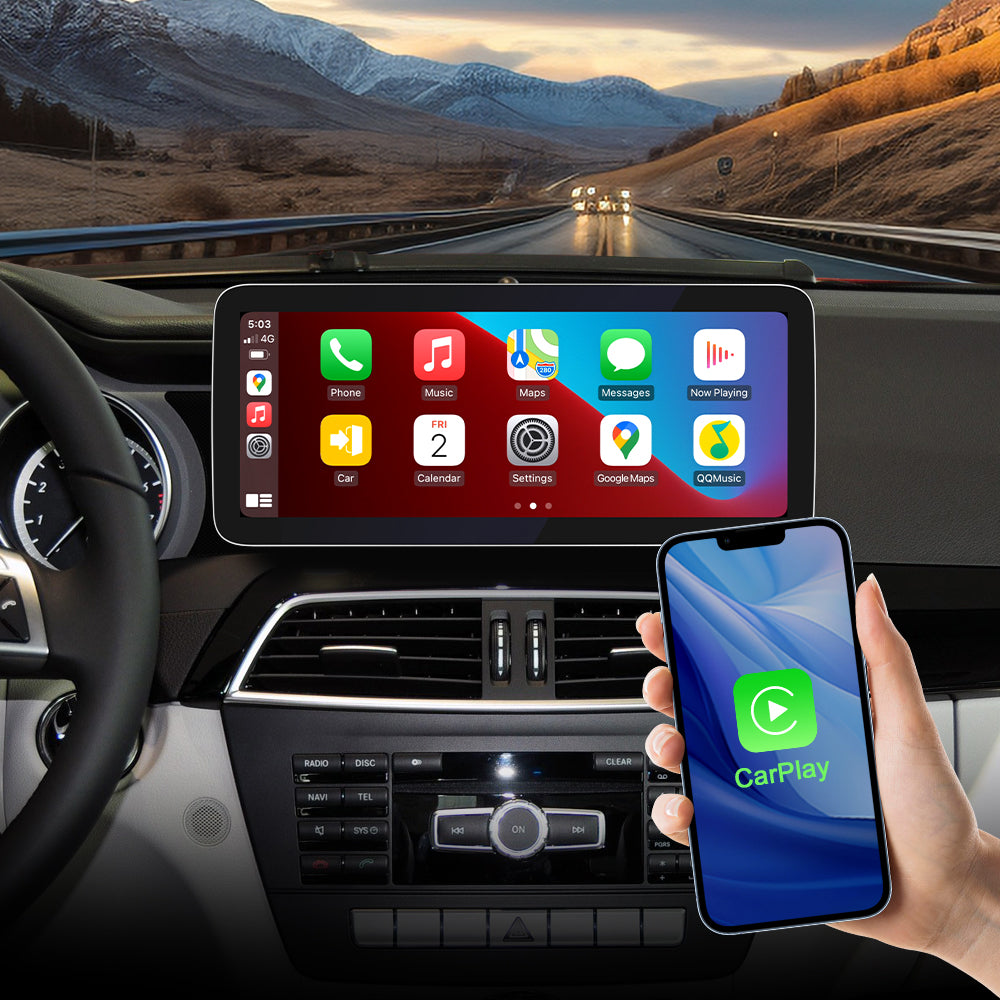
Support Wired/Wireless Apple Carplay
Built-in wired/wireless carplay function. You can use your phone app on PEMP screen, support touch control.
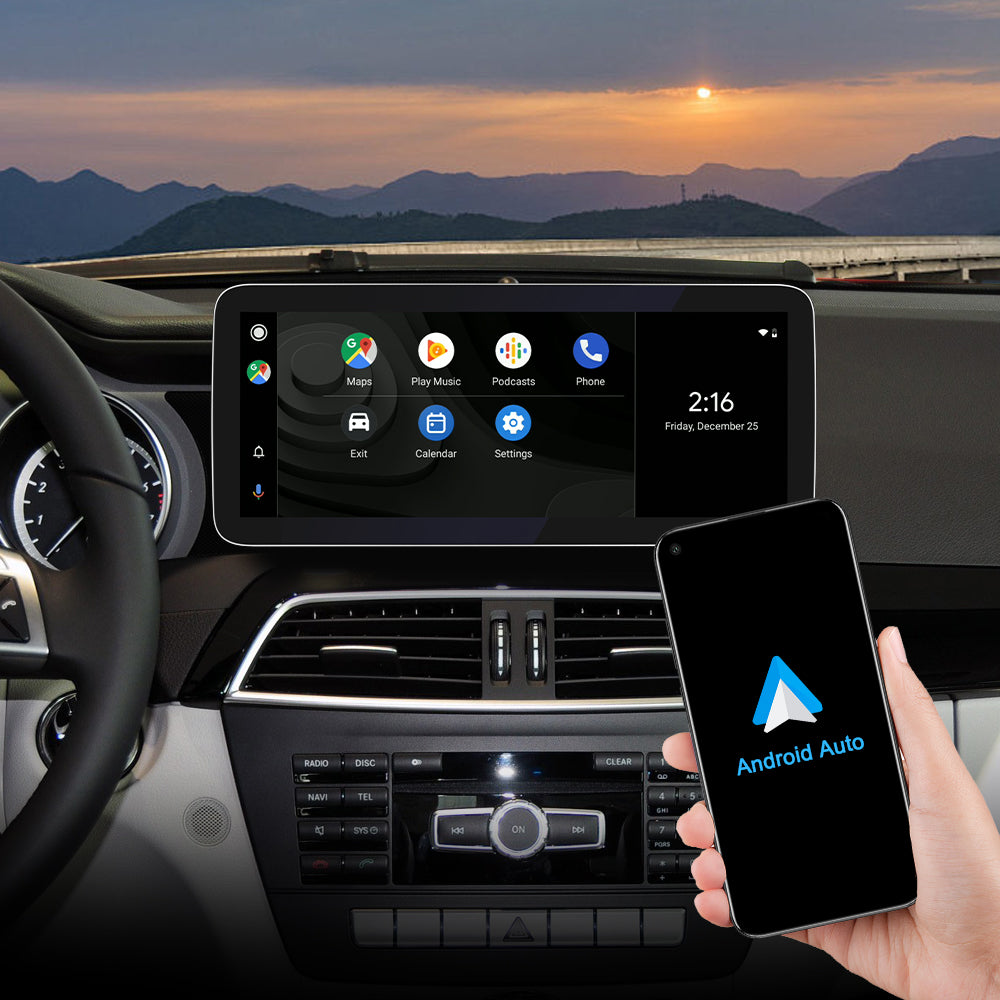
Built-in Wired/Wireless Android Auto Function.
You can use your phone app on PEMP screen, support touch control.
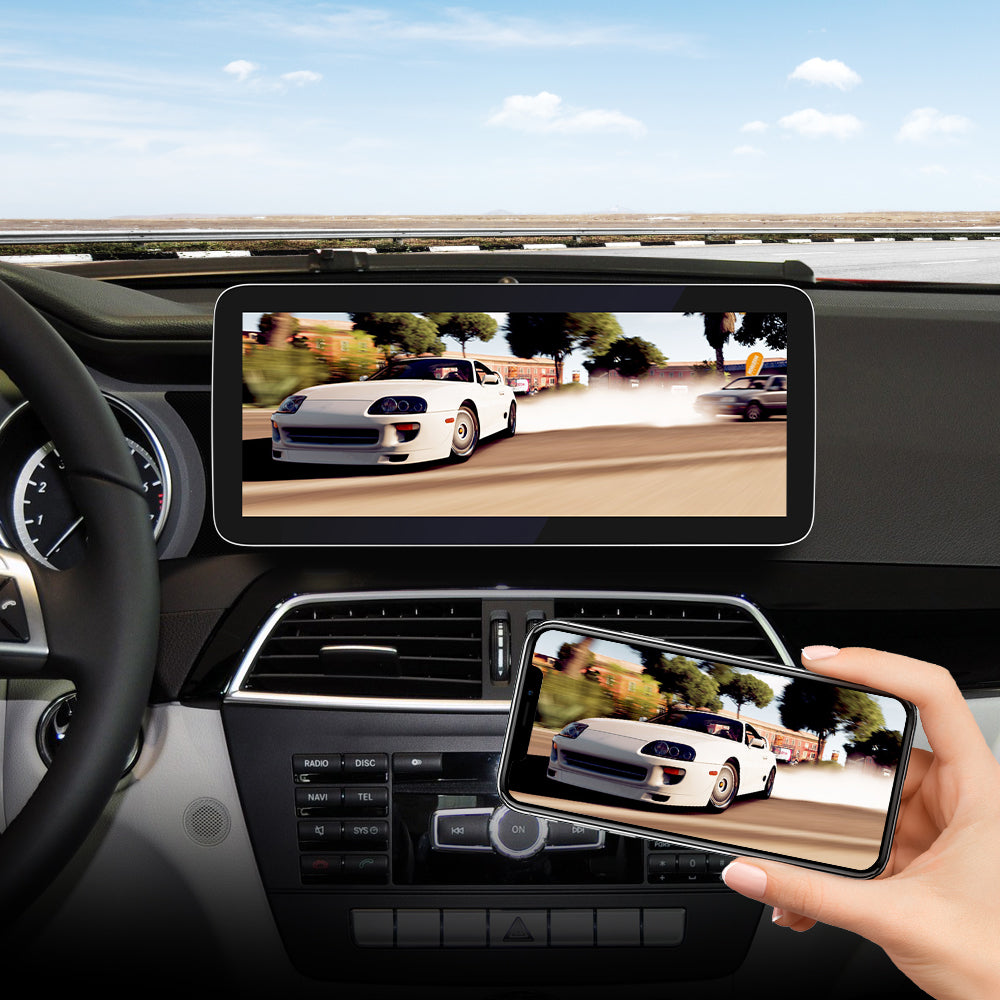
Built-in Wired/Wireless Mirroring Link Function.
You can mirror all the pictures of your mobile phone to PEMP screen.
Setting AUX Position and Automatic Switching
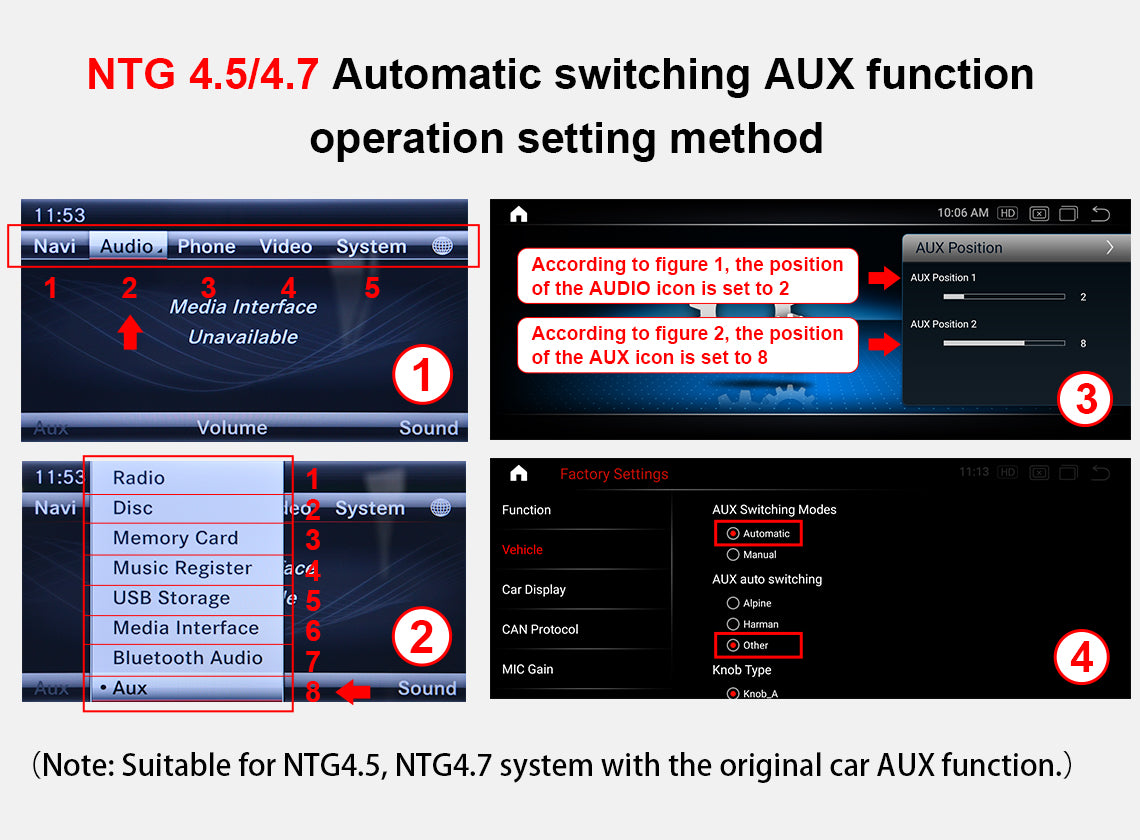
Setting the NTG4.5 System AUX Position and Automatic Switching
If you want the system to automatically enter the original AUX mode every time you enter the Android. The system will automatically enter the original AUX mode. You need to follow the steps below to set up. Step1: First check the serial number of the original AUDIO menu, if it is the second menu, in AUX Position, set AUX position1 to 2. Step2: Then check the serial number of the AUX menu in the AUDIO menu, if it is the 8th menu, in the AUX Position, set AUX position2 to 8. Step3: Go to factory settings and set AUX switching modes to Automatic. Step4: Set AUX Auto switching to Other.
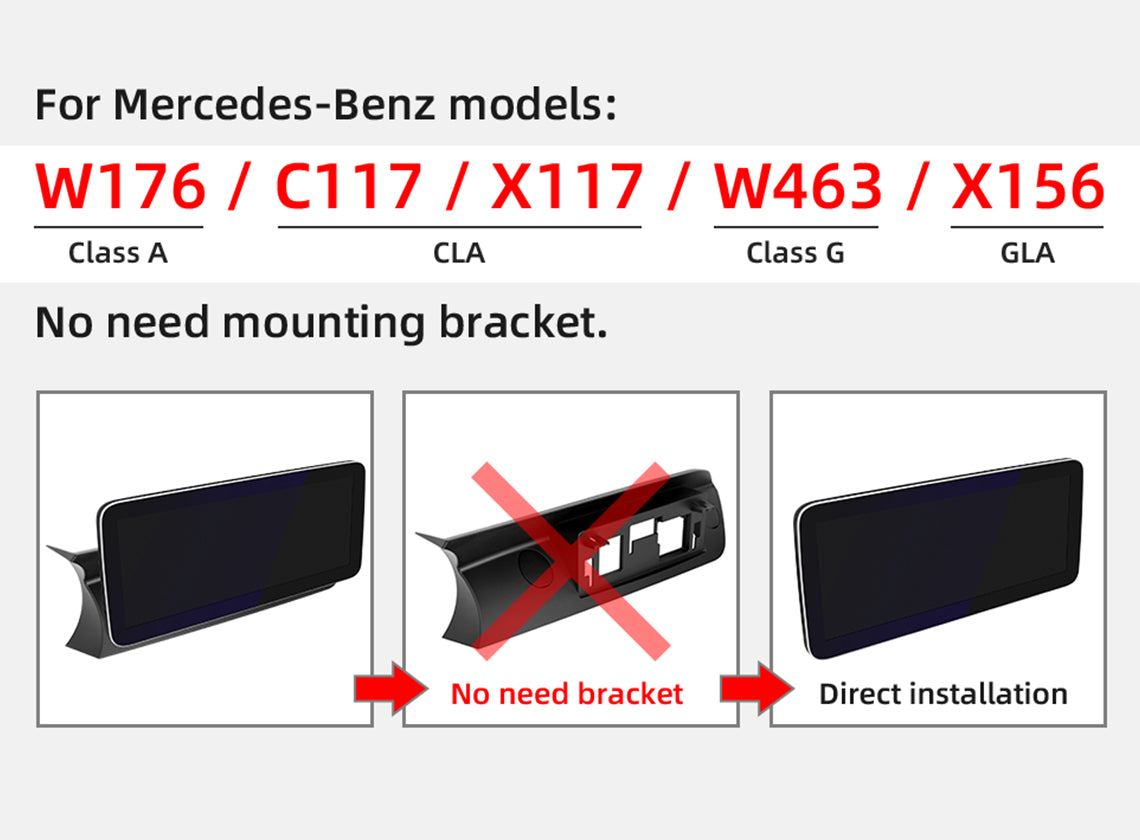
No need the bracket when your install the W176 C117 X117 W463 W463 X156
If you are installing CLASS A (W176) CLA(C117 X117) G CLASS (W463) GLA (X156) NTG 4.5. You don't need the installation bracket in the box. You will need to use the mounting brackets from the original car.

Product Installation and Setup
Approaches to common problems

Connecting the AMI Port
If your car has an AMI port, you must plug in the AMI audio cable to get sound.

Setting OEM Screen Resolution
Car Display Setting: Click Setting/Factory Setting/Password 190627/Car Display/Select 11 to 14

Activate the OEM aux menu
If your NTG 4.5 car OEM menu does not have AUX, you need to activate it.

Setting the CAN Protocol Options
CAN protocol option: Click Setup/Factory Setup/Password 190627/CAN Protocol/Select [3]BC_Protocol_type_4.5
You May Also Like
IN THE BOX
1× Android Screen

1 × ISO Wiring Harness

1 × RCA Cable

1 × 4G Antenna

1 × GPS Antenna

1 × Microphone

1 × AMI Decoder

1 X Base

1 × Installation Manual

1 × User manual

Frequently Asked Questions
Pre-Sales FAQ
Answer your pre-sales questions
After-Sales FAQ
Answer your pre-sales questions