


PEMP Store
PEMP (7L15) W166 X166 1920 x 720 Linux Car Radio Multimedia Screen 12.3-inch CarPlay Android auto, for Mercedes Benz ML GL Class NTG4.5 Use OEM BT Calls Music 2012-2015
- Regular price
- $399.00
- Sale price
- $399.00
- Regular price
-
Shipping calculated at checkout.

$19.90

$0.00
$23.90

Return to your nearest address. (USA and Europe)


Replace the OEM screenwith a large 12.3-inchAndroid riser style.
Read More


Unique LCD liquid crystal hourly clock
Read More


Intelligent Interconnection
Support wired and wireless

Support Wired/Wireless Apple Carplay
Built-in wired/wireless carplay function. You can use your phone app on PEMP android screen, support touch control.

Built-in Wired/Wireless Android Auto Function.
You can use your phone app on PEMP android screen, support touch control.

Built-in Wired/Wireless Mirroring Link Function.
You can mirror all the pictures of your mobile phone to PEMP Android screen.
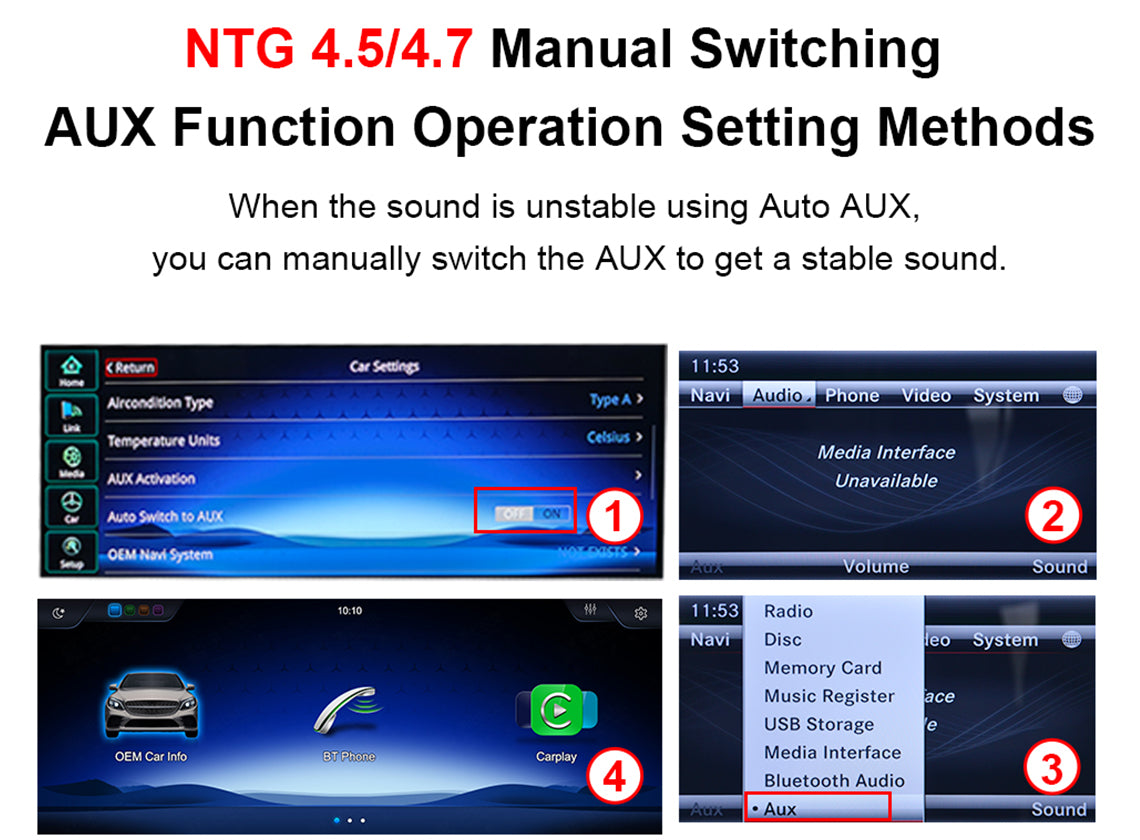
Linux devices using AUX
NTG 4.5/4.7 Manual Switching AUX Function Operation Setting Methods
When the sound is unstable using Auto AUX, you can manually switch the AUX to get a stable sound
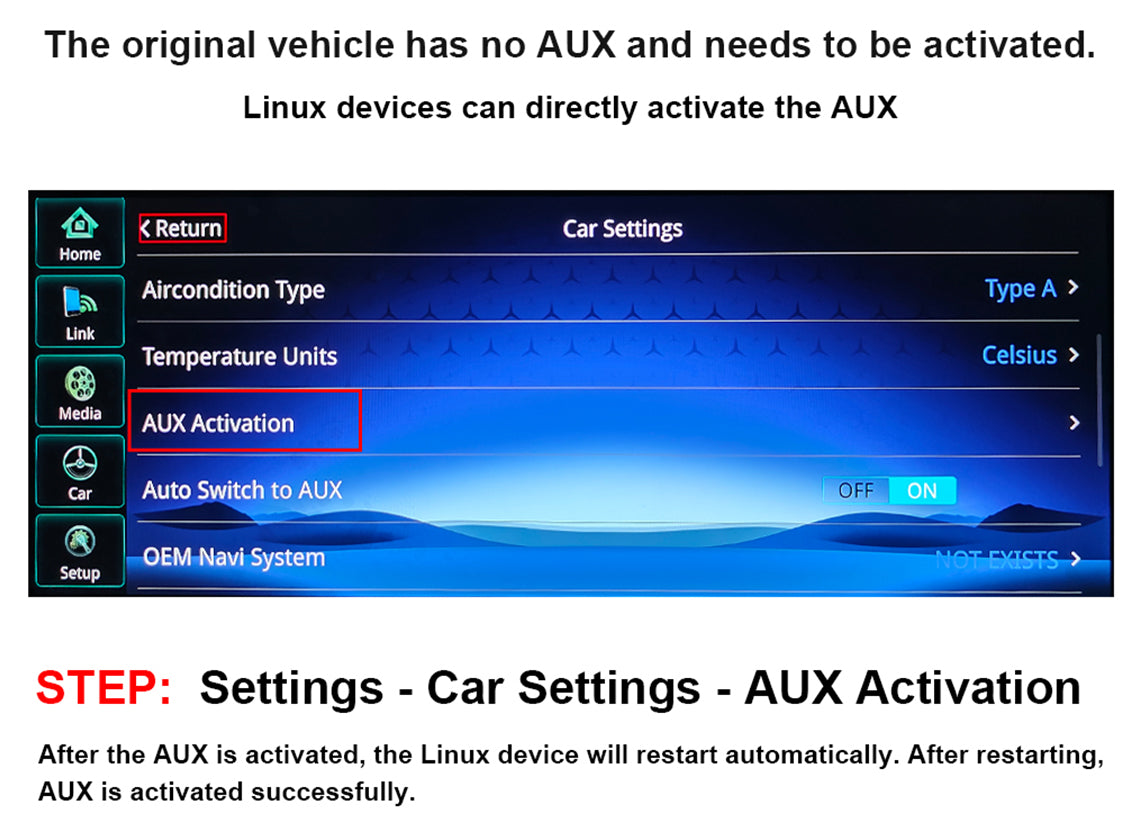
Linux devices can directly activate the AUX
STEP: Settings-Car Settings-AUX Activation After the AUX is activated, the Linux device will restart automatically. After restarting, AuX is activated successfully.

Product Installation and Setup
Approaches to common problems

Support the OEM and After-market Camera
You can select the camera option in the settings the after-marketcamera only support CVBS or 720P AHD format

Support the OEM or after-market Camera
Please select the correct camera option within Settings Select Original Camera if it is a factory camera. Select Aftermarket Camera, if you are installing an aftermarket camera.

Set the OEM Resolution
Please select the correct resolution for the OEM display with in the settings, other wise the OEM Car INFO may not display properly.Setup>Car Settings> Original Car's Screen Resolution> Select the item

How to avoid Linux sound not norma
1.When your car has AMl, give priority to plug in the AMl audio cable. 2. lf it doesn't have AMl interface and has AUX input, you need to use the AUX audio out cable to connect.
You May Also Like
IN THE BOX
Frequently Asked Questions
Pre-Sales FAQ
Answer your pre-sales questions
After-Sales FAQ
Answer your pre-sales questions